Free QR Code Generator and Pro Logo Features
Create 10 QR types without signing in and download PNG or SVG. Learn about free lock.pub branding, Pro logos and branding removal, batch ZIPs and saved drafts.
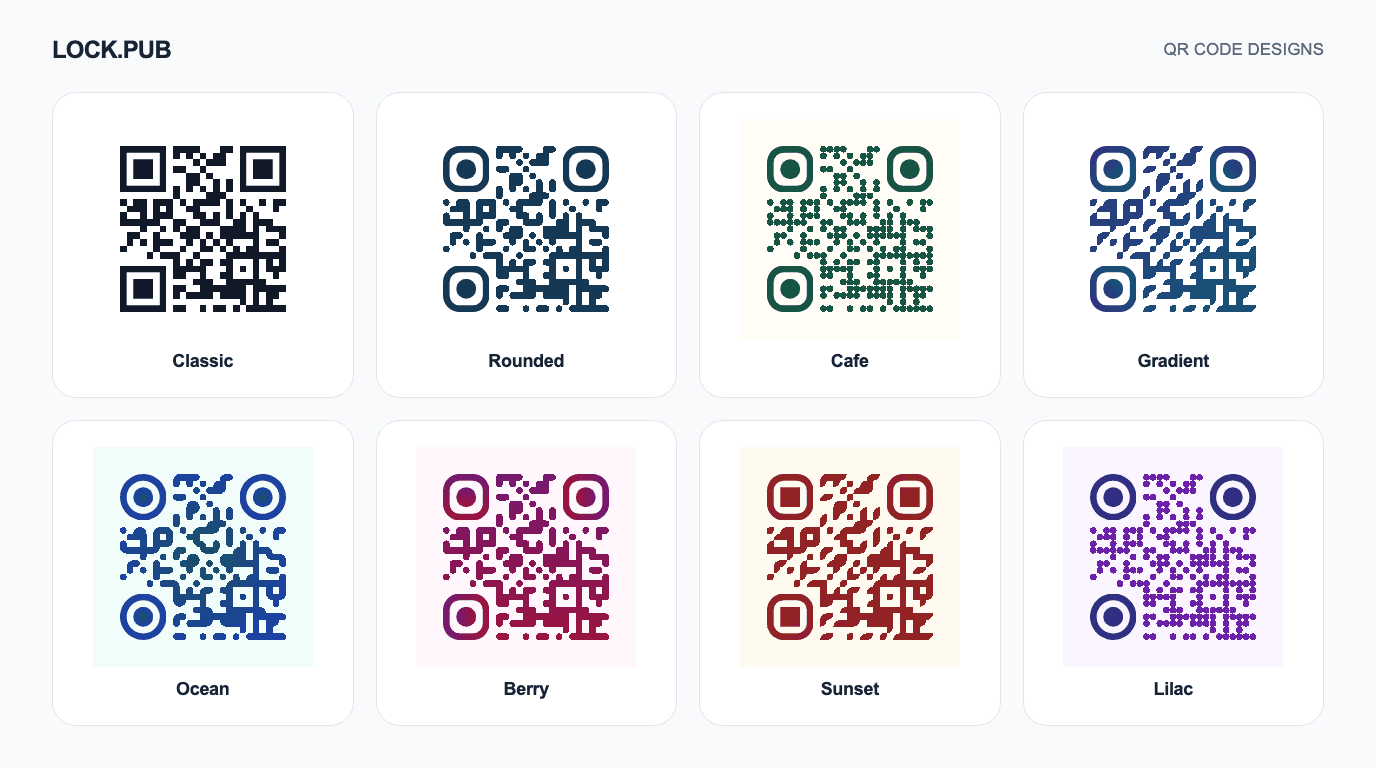
A café menu card or business card can use a QR code that matches its design. The free LOCK.PUB QR code generator lets you choose from 10 content types, customize colors and gradients, then download PNG or SVG. Basic QR creation is free without sign-in and includes lock.pub below the code. Custom logos and branding removal are included with Pro.
QR generation and image export happen in your browser. The preview updates as you change the design, and every preset can be customized further. The article illustration shows eight presets encoding the same address.
How to create a custom QR code
- Choose a type. Open the QR tool and select a card such as Website, Wi-Fi or Contact.
- Enter the actual information. Use a URL for a website, network details for Wi-Fi, or a name and phone number for a contact. Include the country code in phone numbers.
- Check the preview. Each type encodes the corresponding data: a contact QR contains contact information, while a Wi-Fi QR contains network connection details. The screen shown after scanning depends on the phone and app.
- Pick and adjust a design. Start with a preset, then change colors, dot shapes, corners or the frame caption. Pro users can also add or remove a center logo.
- Download and test. Save a PNG or SVG and scan it with another device to check the destination and details.
To make different designs for the same link, leave the content unchanged, adjust the design and download again. Use filenames such as menu-table and business-card to distinguish them. The tool does not save a collection of designs to your account or provide scan statistics for individual printed materials.
Customize colors, gradients and a logo
Start with one of eight presets
Choose Classic, Rounded, Café, Gradient, Ocean, Berry, Sunset or Lilac to update the preview immediately. For a green menu design, for example, start with Café and adjust its colors to your brand. Presets are editable starting points.
Set your colors and gradient
Choose the QR and background colors with the color picker or a HEX value such as #165444. Gradients use two colors and can be linear or radial. You can adjust the direction of a linear gradient, swap its colors, and use a separate color for the corners.
Keep the code dark against a light background. A bright brand color may work better as a background accent than as the code itself. If the tool reports insufficient contrast, adjust the colors before exporting.
Add a logo and frame caption
Use Shapes & output to change dot and corner shapes. Pro users can upload or remove a logo in the separate Center logo and branding section and download without the lock.pub label. Supported logo files are PNG, JPG and WebP up to 2 MiB. A simple mark is easier to recognize at a small size than a detailed wordmark.
Replace the default frame text with an action such as View menu or Visit our website. Test decorated codes at the size you intend to distribute.
What can the QR code contain?
| Type | Information and use |
|---|---|
| Website | A homepage, menu, registration page or other URL |
| Text | A short note or instructions |
| Recipient address, subject and body for composing an email | |
| Phone | A phone number including the country code |
| SMS | Recipient number and message text |
| Contact number and message | |
| Wi-Fi | Network name, security type, password and hidden-network setting |
| Contact | Name, company, phone, email and website |
| Bitcoin | Receiving address and optional payment-request amount and description |
| PayPal | PayPal.Me address and optional amount and currency |
An email or messaging QR does not automatically send its contents, and a payment QR does not automatically transfer money. The recipient reviews the details and takes the next step in the relevant app. Check the receiving address and amount before distributing a payment code.
A Wi-Fi QR includes the Wi-Fi password. Anyone who receives the code can read that information, so use a network intended for your audience.
Use it for a website, café menu or password-protected file
Website: Enter a public URL and style the code for a business card or poster. The QR image has no built-in expiry timer, but it will not make a deleted or restricted destination available.
Café menu: If you can update the menu page while keeping its URL, the same printed QR can continue to open it. If the URL changes, generate a new static QR code. This tool does not change the destination encoded in an existing printed code.
Password-protected file: First create a link with a password using file sharing, then share that link as a QR code. Existing LOCK.PUB links also reach the shared design editor through the QR option in the creation result or dashboard. The corresponding feature's account requirements and usage limits apply to creating and managing those links.
The QR itself is not password-protected: the page opened after scanning checks the password. Send the password separately instead of printing it beside the code. For photos, see how to turn an image into a QR code.
Should you download PNG or SVG?
PNG is convenient for messages and documents. SVG is a vector format that can be resized in a print layout. Check which formats your editor or printer accepts.
Before printing:
- Keep the empty border around the code. DENSO WAVE's guidance specifies a margin four small code squares wide on every side.
- Ensure that even the lighter part of a gradient remains distinct from the background.
- Scan the actual print size under the intended lighting with another phone.
- Check the complete task, such as opening the menu, reading the contact details or entering the password.
- Repeat the scan if you change the final artwork after testing.
Frequently asked questions
Is creating and downloading a QR code free?
Yes. Basic QR creation, color and shape editing, PNG/SVG downloads and batch URL ZIPs require neither payment nor sign-in. Free QR codes include lock.pub below the code. Custom logos and branding removal require Pro. Separate terms apply to creating hosted files or protected links that you want the code to open.
Can I change the address after making the QR?
The data in a downloaded or printed static QR does not change. Generate another code for a new address. If you only update the content of a webpage at the same address, the existing QR can still open it.
Does adding a logo turn it into a photo QR?
No. The center logo is a design element. To open a photo after scanning, first create a viewable photo link and encode that address.
Will my design remain after refreshing?
Multiple QR codes mode saves your rows, common design, logo and paste text in this browser so you can continue after a refresh. Use Clear all to remove the draft. Clearing browser data also removes it. One QR code mode does not restore its input or design after refreshing.
Open the free QR code generator, choose your content type and create your first design.
Create link
Create linkKeywords
You might also like
Turn a Photo into a QR Code with Password Protection
Create an image link, customize its QR design and save PNG or SVG. Follow the photo-sharing steps and check current image limits and recipient access.
Beyond Link Locking: The Complete Guide to LOCK.PUB's 11 Secret Content Types
LOCK.PUB is more than just a link-locking tool. Discover all 11 content types: URL Lock, Secret Memo, Encrypted Chat, Secret Poll, Secret Image, Secret Board, Secret Audio, Ask Board, Location, File, and Secure Request.
Secret Audio Sharing Guide: How to Send Audio Files Safely with Password Protection
Learn how to securely share voice messages, recordings, music demos, and podcast previews with password protection using LOCK.PUB's secret audio feature.